01
Vertraut nach Design
Edit- und Mix-Fenster, Editiermodi, Werkzeuge, Playlists, Memory Locations und AudioSuite-artige Verarbeitung — der Pro-Tools-Workflow, sauber in Rust neu gebaut.
01 / SoundCraft Audio-Workstation · Pre-Alpha
01 SoundCraft
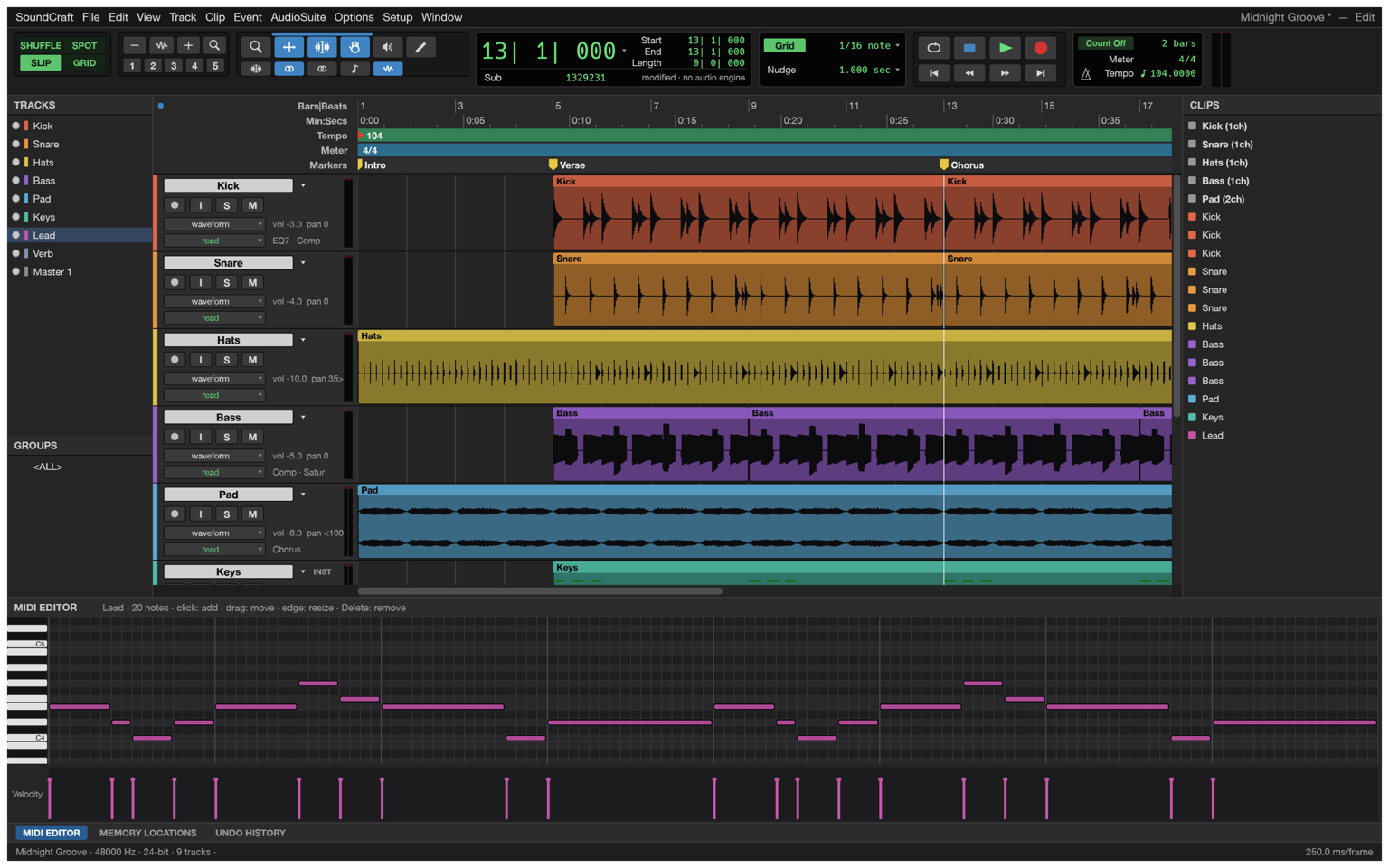
An Edit window for arranging, a Mix window for balancing, playlists, memory locations, edit modes and tools — the workflow audio engineers have used for years, rebuilt clean-room in Rust and running in your browser. Multitrack recording and editing, ten sends and inserts per track, breakpoint automation, MIDI with a piano roll and a score editor, and immersive formats up to 9.1.6 — a free, open-source Pro Tools alternative that needs no account and never uploads your music. SoundCraft-Workstation öffnen — kostenlos und Open Source.
Läuft im Browser — kostenlos und Open Source
02 / Highlights
01
Edit- und Mix-Fenster, Editiermodi, Werkzeuge, Playlists, Memory Locations und AudioSuite-artige Verarbeitung — der Pro-Tools-Workflow, sauber in Rust neu gebaut.
02
Zehn Inserts und zehn Sends pro Spur, Busse und Aux-Eingänge, Master-Fader, VCAs, Routing-Ordner, Solo-in-Place mit implizitem Solo, Peak-Hold-Meter.
03
Breakpoint-Automation für Volume, Pan, Mute, Sends und jeden Plugin-Parameter — live geschrieben in Write, Touch und Latch.
04
Instrumentenspuren mit eingebauten Synths, Piano-Roll mit Velocity-Spur, Step-Input, Quantisieren und Transponieren, Standard-MIDI-Dateien und ein Noteneditor mit MusicXML-Export.
05
Every action is drivable through a JSON control protocol, and the engine ships an MCP server (soundcraft-cli mcp) — Claude and other agents can build sessions, edit and bounce headlessly, with screenshots and clicks on the live app.
06
Haupt- und Busformate von Stereo bis 9.1.6 und Ambisonics, ein Surround-Panner mit Divergenz und Höhe, Objekt-/Bed-Routing und ein Renderer-Fenster mit Live-Pegel der Lautsprecher.
03 / Made for
01
Spuren aufnehmen, Takes über Playlists compen, auf dem Raster schneiden und überblenden — dann die Fader mit echter Automation fahren.
02
Eine Videospur mit Miniaturen und Timecode — H.264 und ProRes decodiert in purem Rust — während der Noteneditor den Cue für MusicXML notiert.
03
Von Stereo-Beds zu 9.1.6-Objekten: Pan mit Divergenz und Höhe, Beds und Objekte routen und die Live-Pegel im Renderer beobachten.
04 / So gehts
SoundCraft startet im Browser — kein Download, kein Konto, kein Abo. Leere Session starten oder vom Gerät öffnen.
Spuren scharfschalten und aufnehmen oder WAV, AIFF, FLAC, MP3 oder AAC hineinziehen — importierte Medien behalten Zeitstempel und Kanalmasken.
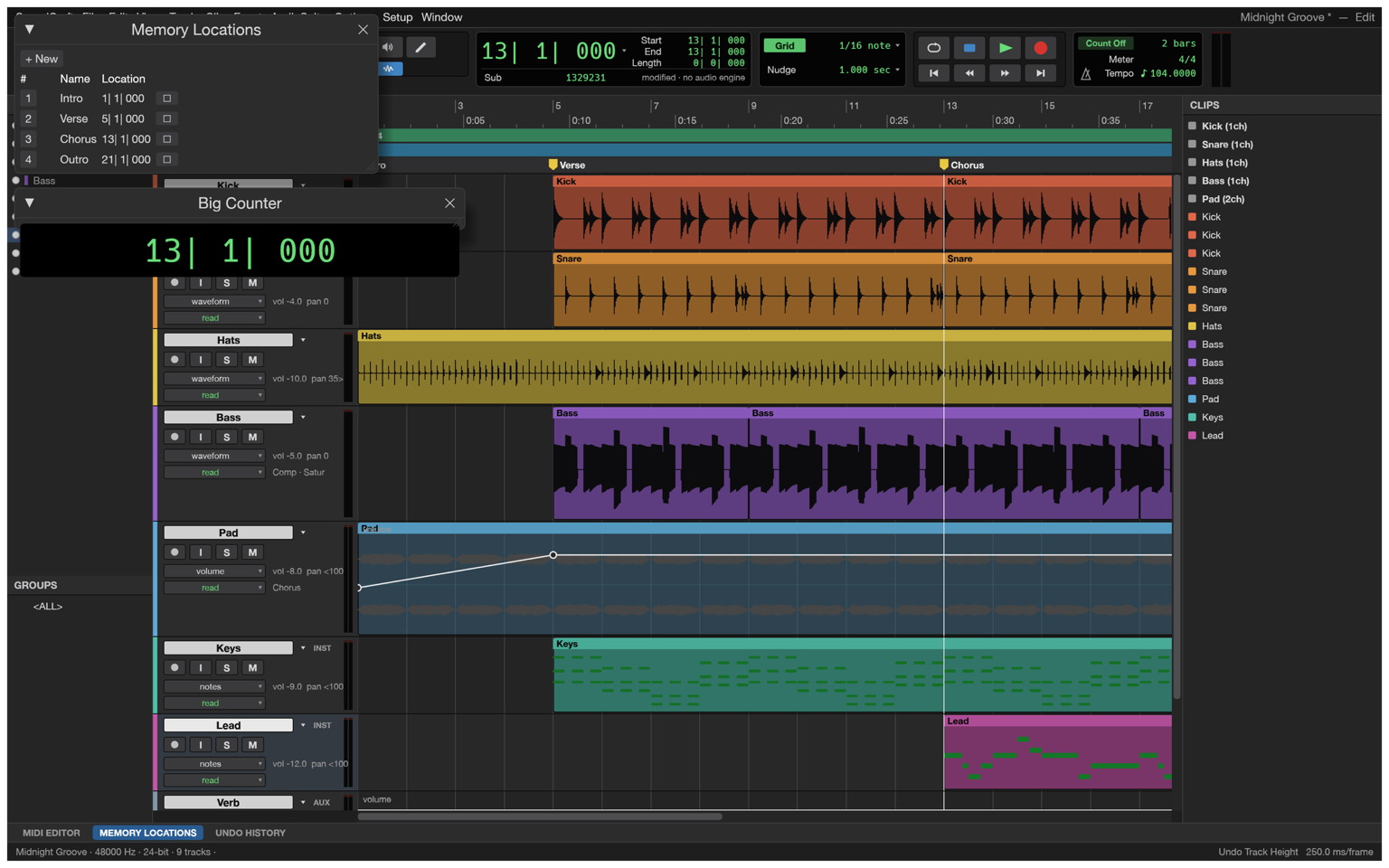
Auf dem Raster schneiden, slippen und überblenden; Takes über Playlists compen; Memory Locations setzen und mit dem großen Zähler navigieren.
Im Mix-Fenster ausbalancieren — Inserts, Sends, Busse und VCAs — dann für jede Bewegung Automation zeichnen oder einspielen.
Den Mix als WAV (mit TPDF-Dither) oder MP3 bouncen, Stems, MIDI und MusicXML exportieren — alles von der eigenen Rust-Engine geschrieben.
05 / Formate
Sessions live in SoundCraft’s open .scraft format — plain JSON with embedded plugin state — and media moves through the standard formats.
| Format | Unterstützung | Hinweise |
|---|---|---|
| WAV / BWF | read + write | PCM 16/24/32, Float 32, bext-Metadaten, TPDF-Dither beim Bouncen |
| RF64 / BW64 | read + write | über die 4-GiB-Grenze von WAV hinaus |
| Multichannel WAV | read + write | WAVE_FORMAT_EXTENSIBLE mit Kanalmasken |
| AIFF / AIFF-C | read + write | nativer Reader und Writer |
| FLAC | import | decodiert von SoundCrafts eigenem Codec |
| MP3, AAC/M4A, Ogg Vorbis | import | komprimierte Medien direkt in die Session |
| Standard MIDI File | import + export | Typ 0 und 1 |
| MusicXML | export | aus dem Noteneditor, für Sibelius und andere Notationsprogramme |
| Session (.scraft) | import + export | dokumentiertes JSON, Plugin-Status eingebettet, Audio Files daneben |
06 / Der Mixer
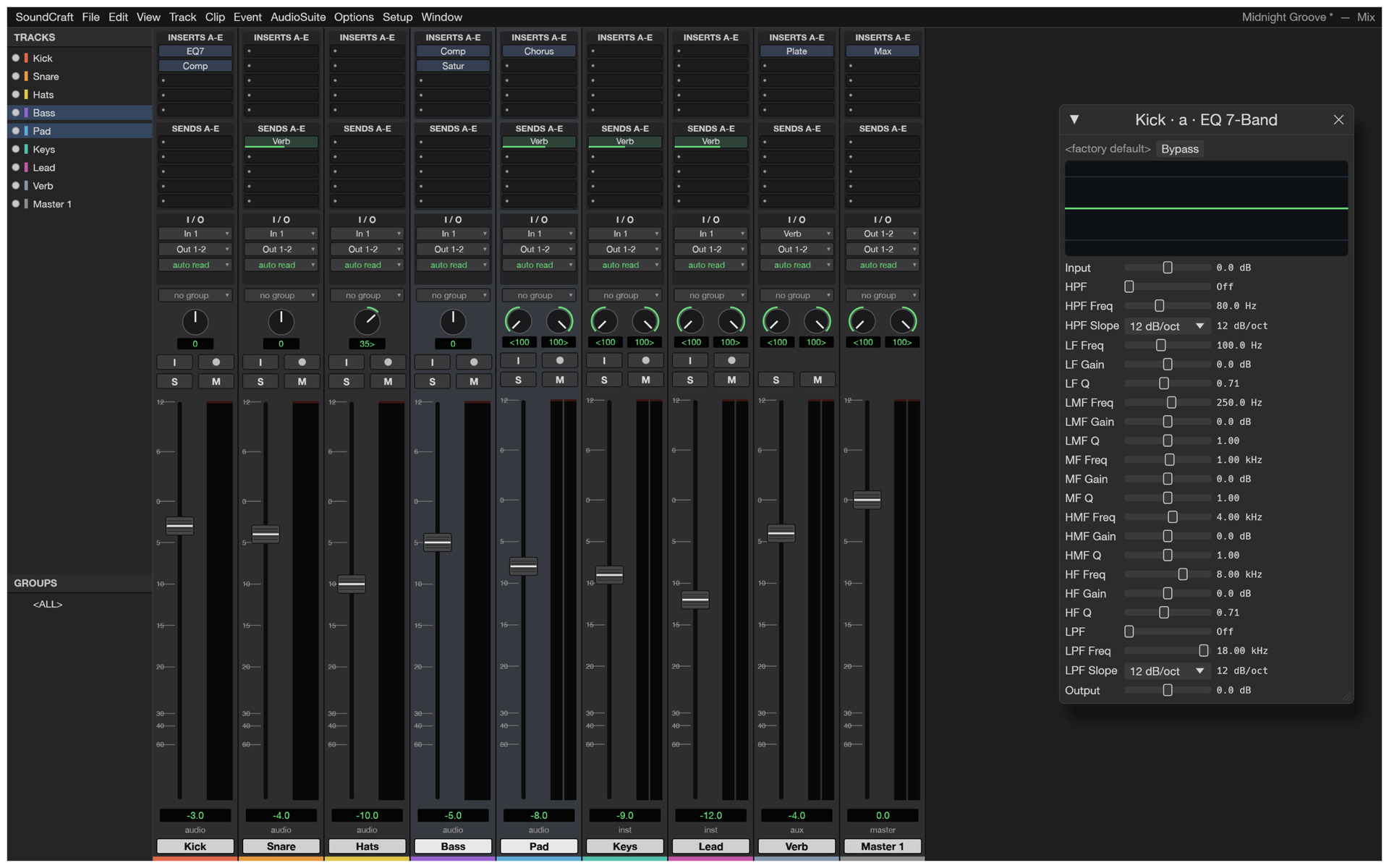
The Mix window gives every track a real channel strip — input, inserts, sends, pan, fader and meter — and the session routes like a studio: busses and aux inputs, master faders, VCAs for group moves, routing folders for stems, solo-in-place with implicit solo. Automation is drawn and edited as breakpoints on the arrangement, written live while you play the faders in Write, Touch or Latch.
07 / Screenshots
08 / SoundCraft holen
The whole workstation, compiled to WebAssembly — no download, no installer, no account. It boots like a web page and runs like a native app.
Workstation startenInstall it as an app from your browser and SoundCraft keeps working without a connection — the shell, the engine and your last session are cached on your device.
Sessions and audio open from and save back to your device as .scraft and standard audio files. Nothing is uploaded — there is no server to upload to.
09 / FAQ
Ja. Frei und Open Source unter MIT OR Apache-2.0 — kein Abo, kein Lizenzserver, keine Telemetrie. Die Web-App braucht kein Konto.
Ja — SoundCraft ist eine vollständige DAW: Mehrspur-Aufnahme, Schnitt und Arrangement im Edit-Fenster, mit Playlists, Editiermodi und Memory Locations genau im Workflow, den Toningenieure kennen.
Ten inserts and ten sends per track, busses and aux inputs, master faders, VCAs, routing folders, solo-in-place with implicit solo, and meters with peak hold — the Mix window, not a toy.
Breakpoint automation for volume, pan, mute, sends and every plugin parameter, written live in Write, Touch and Latch — plus memory locations and a big counter.
Instrument tracks with built-in synths, a piano roll with a velocity lane, step input, quantize and transpose, Standard MIDI File import and export, and a Score Editor that exports MusicXML for Sibelius.
Native WAV/BWF (PCM 16/24/32, float 32, with bext metadata), RF64/BW64 beyond 4 GiB, multichannel WAVE_FORMAT_EXTENSIBLE and AIFF; FLAC, MP3, AAC/M4A and Ogg Vorbis import; bounce with TPDF dither.
Die Engine spricht einen JSON-Kanal und bringt einen MCP-Server mit (soundcraft-cli mcp); der Browser-Editor hängt zudem am gehosteten Gateway — https://soundcraft.live/editor/?mcp=
Not yet — the .ptx format is proprietary and undocumented. Sessions live in SoundCraft’s open .scraft format (plain JSON with embedded plugin state), and Standard MIDI Files import and export freely.
Yes. Install SoundCraft as an app from your browser and the shell, the engine and your last session are cached on your device; editing continues without a connection.
No. The workstation runs in the tab; audio opens from and saves back to your device. There is no server to upload to.
Haupt- und Busformate von Stereo bis 9.1.6 und Ambisonics, ein Surround-Panner mit Divergenz und Höhe, Objekt-/Bed-Routing und ein Renderer-Fenster mit Live-Pegel der Lautsprecher.
10 / Die Familie
SoundCraft ist Teil einer Familie offener Kreativ-Tools.
Eine komplette Workstation — im Tab, kostenlos.
Musik machen