01
デザインで慣れ親しむ
Edit・Mixウィンドウ、編集モード、ツール、プレイリスト、メモリロケーション、AudioSuite風処理 — Pro ToolsのワークフローをRustでクリーンルーム再構築。
01 / SoundCraft オーディオワークステーション · プレアルファ
01 SoundCraft
An Edit window for arranging, a Mix window for balancing, playlists, memory locations, edit modes and tools — the workflow audio engineers have used for years, rebuilt clean-room in Rust and running in your browser. Multitrack recording and editing, ten sends and inserts per track, breakpoint automation, MIDI with a piano roll and a score editor, and immersive formats up to 9.1.6 — a free, open-source Pro Tools alternative that needs no account and never uploads your music. SoundCraftワークステーションを開く — 無料・オープンソース。
ブラウザで動作 — 無料・オープンソース
02 / ハイライト
01
Edit・Mixウィンドウ、編集モード、ツール、プレイリスト、メモリロケーション、AudioSuite風処理 — Pro ToolsのワークフローをRustでクリーンルーム再構築。
02
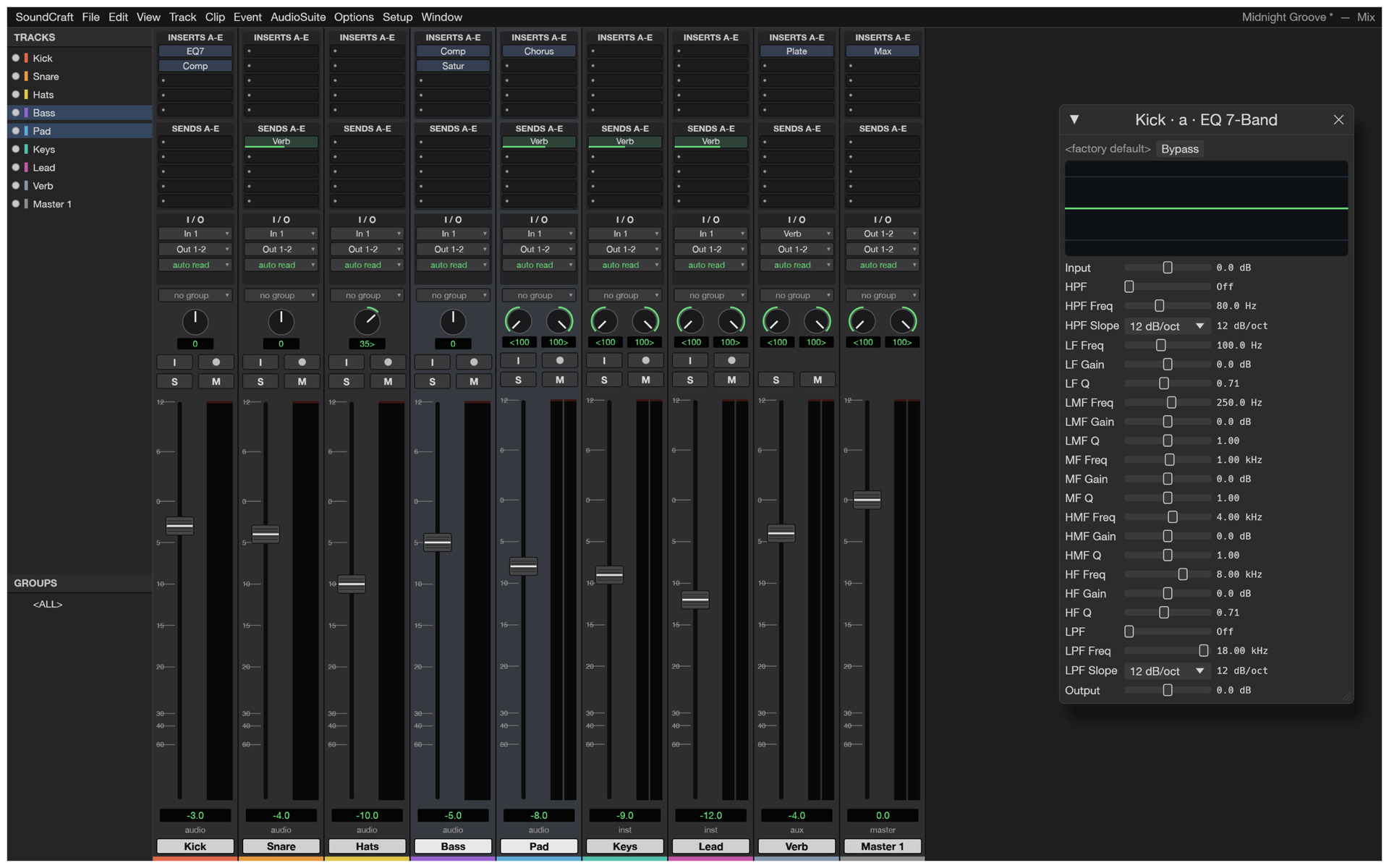
1トラックに10インサートと10センド、バスとAux入力、マスターフェーダー、VCA、ルーティングフォルダー、インプリシットソロ付きsolo-in-place、ピークホールド付きメーター。
03
音量・パン・ミュート・センド・全プラグインパラメーターのブレークポイントオートメーション。Write・Touch・Latchでリアルタイムに書き込み。
04
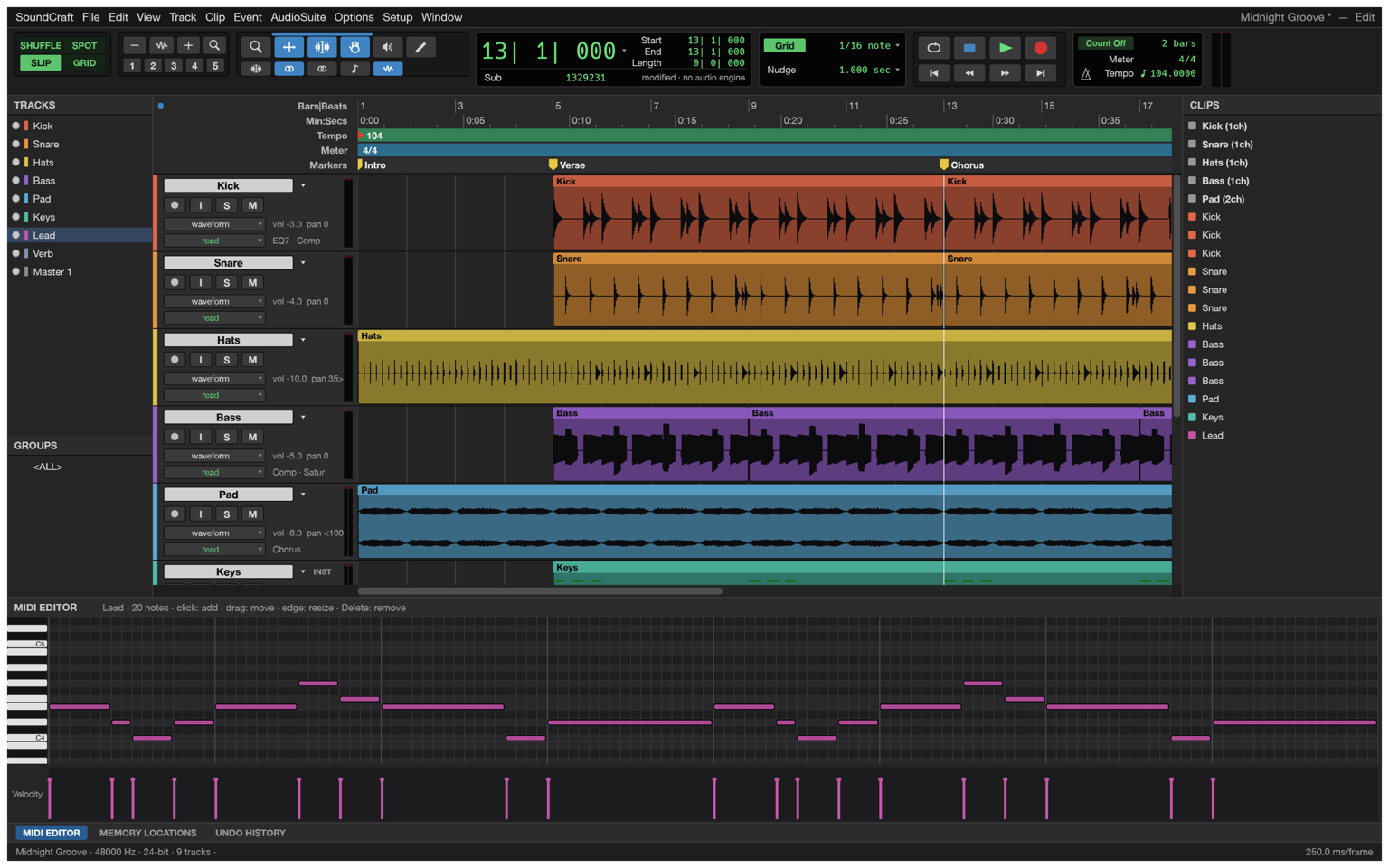
内蔵シンセ付きインストゥルメントトラック、ベロシティレーン付きピアノロール、ステップ入力・クオンタイズ・トランスポーズ、SMF、そしてMusicXMLを書き出す楽譜エディター。
05
Every action is drivable through a JSON control protocol, and the engine ships an MCP server (soundcraft-cli mcp) — Claude and other agents can build sessions, edit and bounce headlessly, with screenshots and clicks on the live app.
06
ステレオから9.1.6、Ambisonicsまでのメインとバス形式、拡散と高さを持つサラウンドパンナー、オブジェクト/ベッドルーティング、スピーカーレベルをリアルタイム表示するレンダラーウィンドウ。
03 / Made for
01
トラックを敷き、プレイリスト上でテイクをコンプレッションし、グリッドに合わせて切りクロスフェード。仕上げは本物のオートメーションでフェードを操る。
02
サムネイルとタイムコード付きのビデオトラック — H.264とProResを純Rustでデコード — 楽譜エディターは同時にキューを記譜しMusicXMLへ。
03
ステレオベッドから9.1.6オブジェクトまで:拡散と高さでパンし、ベッドとオブジェクトをルーティングし、レンダラーのライブスピーカーレベルを見る。
04 / 使い方
SoundCraftはブラウザで起動 — ダウンロード・アカウント・サブスク不要。空のセッションを始めるか、端末から開けます。
トラックをアームして録音するか、WAV・AIFF・FLAC・MP3・AACをドラッグ — 取り込まれたメディアはタイムスタンプとチャンネルマスクを保持。
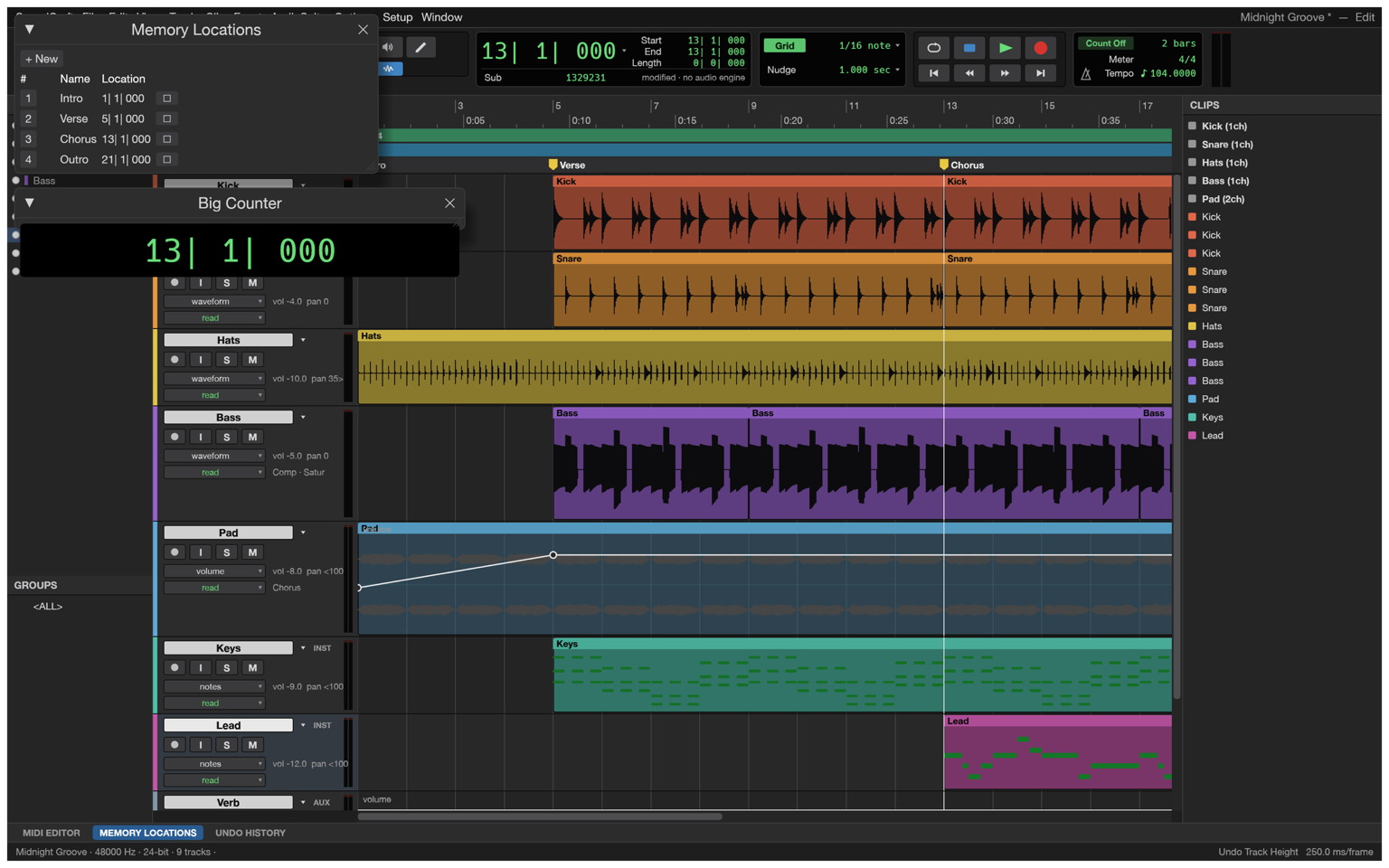
グリッドでカット・スリップ・クロスフェード。プレイリストをまたいでテイクをコンパイル。メモリロケーションを置き、大型カウンターで移動。
Mixウィンドウでバランス — インサート、センド、バス、VCA — その後、あらゆる動きにオートメーションを描く、または演奏する。
ミックスをWAV(TPDFディザー付き)やMP3にバウンスし、ステム・MIDI・MusicXMLを書き出し — すべてエンジン自前のRustコードで。
05 / 形式
Sessions live in SoundCraft’s open .scraft format — plain JSON with embedded plugin state — and media moves through the standard formats.
| 形式 | 対応 | 備考 |
|---|---|---|
| WAV / BWF | read + write | PCM 16/24/32、float 32、bextメタデータ、バウンス時のTPDFディザー |
| RF64 / BW64 | read + write | WAVの4GiB制限を超えて |
| Multichannel WAV | read + write | チャンネルマスク付きWAVE_FORMAT_EXTENSIBLE |
| AIFF / AIFF-C | read + write | ネイティブのリーダーとライター |
| FLAC | import | SoundCraft自前のコーデックでデコード |
| MP3, AAC/M4A, Ogg Vorbis | import | 圧縮メディアをそのままセッションへ |
| Standard MIDI File | import + export | タイプ0と1 |
| MusicXML | export | 楽譜エディターから。Sibeliusなど記譜ソフトへ |
| Session (.scraft) | import + export | 文書化されたJSON。プラグイン状態を埋め込み、Audio Filesが並ぶ |
06 / ミキサー
The Mix window gives every track a real channel strip — input, inserts, sends, pan, fader and meter — and the session routes like a studio: busses and aux inputs, master faders, VCAs for group moves, routing folders for stems, solo-in-place with implicit solo. Automation is drawn and edited as breakpoints on the arrangement, written live while you play the faders in Write, Touch or Latch.
07 / スクリーンショット
08 / 入手
The whole workstation, compiled to WebAssembly — no download, no installer, no account. It boots like a web page and runs like a native app.
ワークステーションを起動Install it as an app from your browser and SoundCraft keeps working without a connection — the shell, the engine and your last session are cached on your device.
Sessions and audio open from and save back to your device as .scraft and standard audio files. Nothing is uploaded — there is no server to upload to.
09 / よくある質問
はい。MIT OR Apache-2.0の無料オープンソースです — サブスク・ライセンスサーバー・テレメトリなし。Web版にアカウントは不要です。
はい — SoundCraftは完全なDAWです。Editウィンドウでのマルチトラック録音・編集・アレンジ。プレイリスト、編集モード、メモリロケーションは、エンジニアがすでに知るワークフローに従います。
Ten inserts and ten sends per track, busses and aux inputs, master faders, VCAs, routing folders, solo-in-place with implicit solo, and meters with peak hold — the Mix window, not a toy.
Breakpoint automation for volume, pan, mute, sends and every plugin parameter, written live in Write, Touch and Latch — plus memory locations and a big counter.
Instrument tracks with built-in synths, a piano roll with a velocity lane, step input, quantize and transpose, Standard MIDI File import and export, and a Score Editor that exports MusicXML for Sibelius.
Native WAV/BWF (PCM 16/24/32, float 32, with bext metadata), RF64/BW64 beyond 4 GiB, multichannel WAVE_FORMAT_EXTENSIBLE and AIFF; FLAC, MP3, AAC/M4A and Ogg Vorbis import; bounce with TPDF dither.
エンジンはJSON制御プロトコルを話し、MCPサーバー(soundcraft-cli mcp)を同梱。さらにブラウザ版はホスト型ゲートウェイに接続 — https://soundcraft.live/editor/?mcp=
Not yet — the .ptx format is proprietary and undocumented. Sessions live in SoundCraft’s open .scraft format (plain JSON with embedded plugin state), and Standard MIDI Files import and export freely.
Yes. Install SoundCraft as an app from your browser and the shell, the engine and your last session are cached on your device; editing continues without a connection.
No. The workstation runs in the tab; audio opens from and saves back to your device. There is no server to upload to.
ステレオから9.1.6、Ambisonicsまでのメインとバス形式、拡散と高さを持つサラウンドパンナー、オブジェクト/ベッドルーティング、スピーカーレベルをリアルタイム表示するレンダラーウィンドウ。
10 / Craft ファミリー
SoundCraftはオープンな創作ツールファミリーの一員です。
完全なワークステーションを — タブで、無料で。
音楽を作り始める